# Change RPC URL

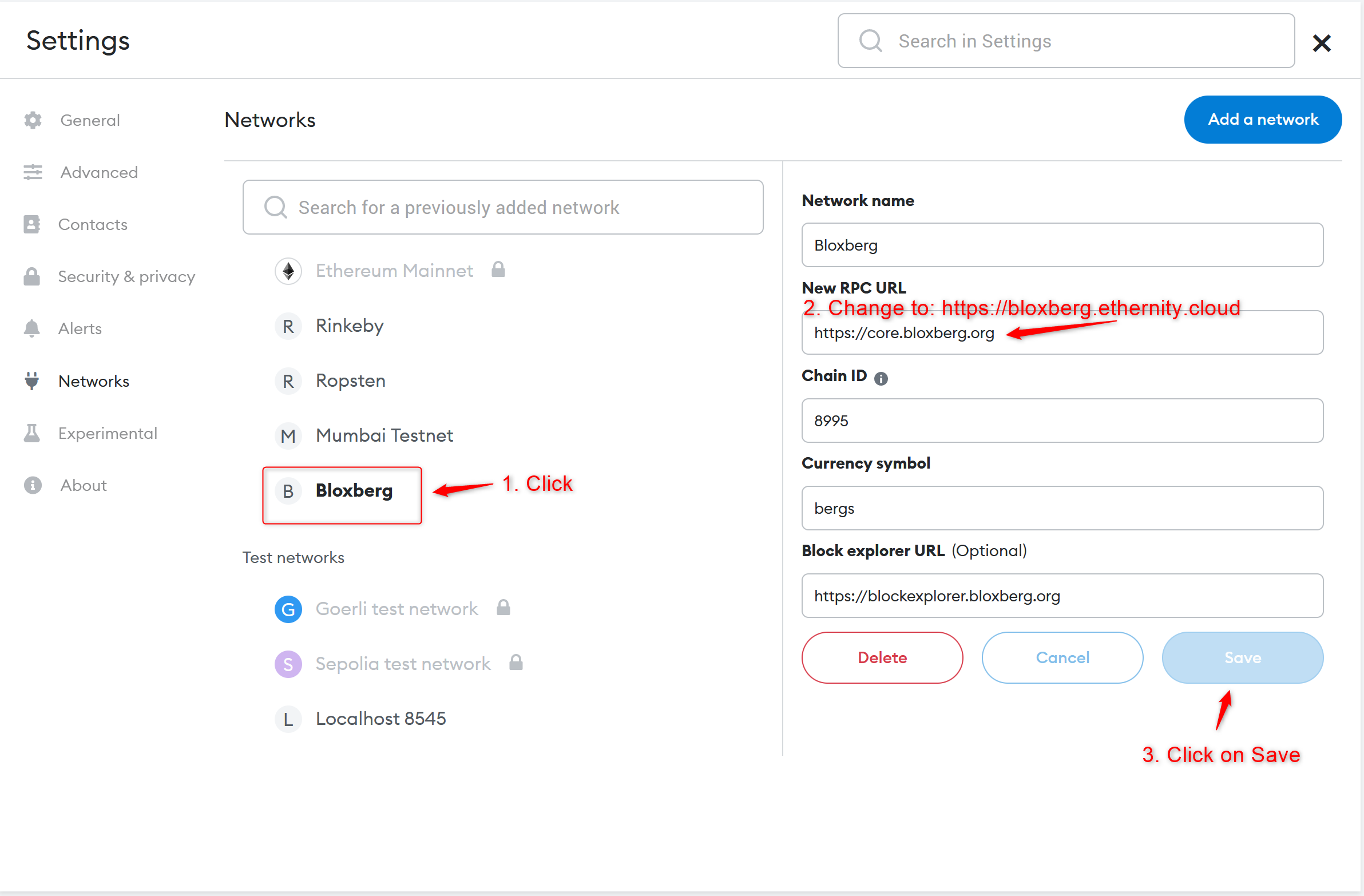
The instructions below show how to change the RPC server from the existing core.bloxberg.org to the new bloxberg.ethernity.cloud. Due to the overwhelming number of MetaMask wallets connected to the Bloxberg network we are changing the RPC URL for a better user experience.&#x20;

1. **Login to MetaMask as shown below.**
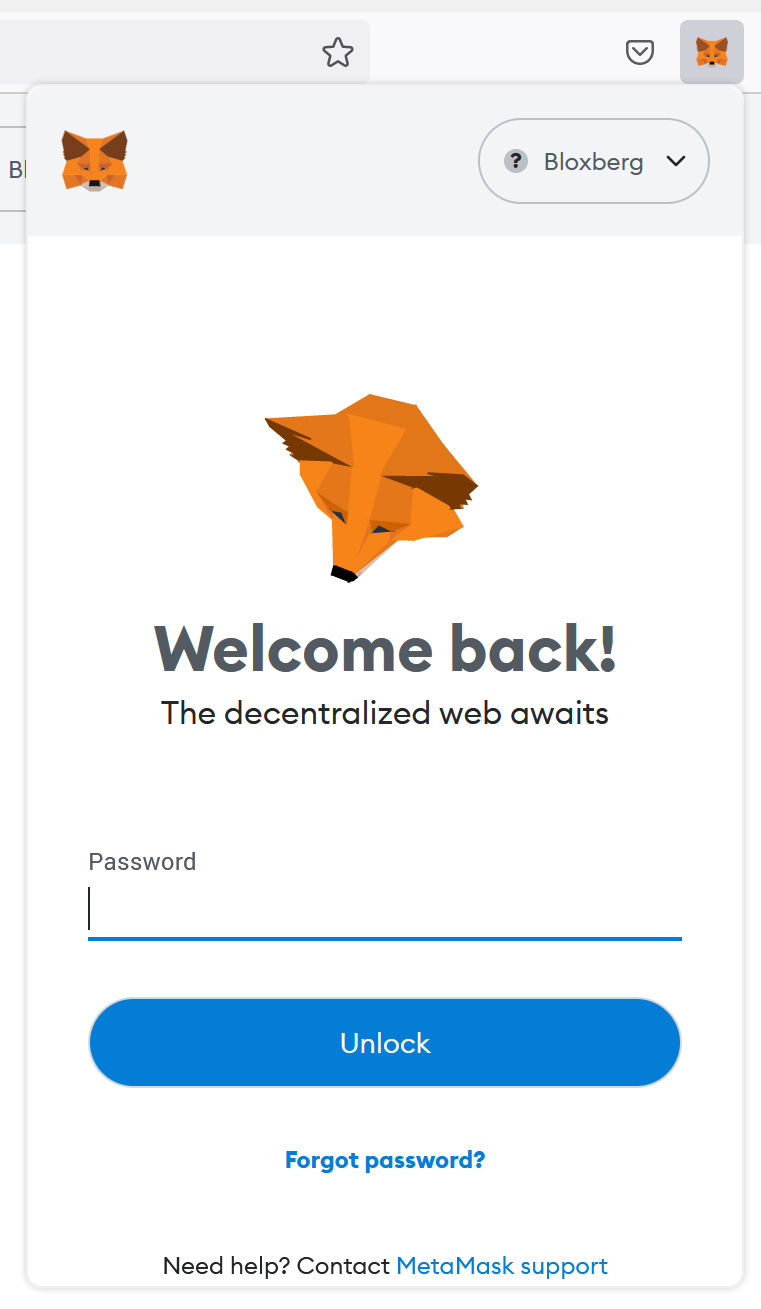
<figure><img src="https://1216336826-files.gitbook.io/~/files/v0/b/gitbook-x-prod.appspot.com/o/spaces%2F-MOFd6gpxgL4ITVYH_YB%2Fuploads%2FMdJX2NS8ElpLsP9Z6N9J%2Fimage.png?alt=media&#x26;token=05e2d646-025d-48ab-8614-37a888126d3f" alt=""><figcaption><p>Login</p></figcaption></figure>

2. **Open Settings**

<figure><img src="https://1216336826-files.gitbook.io/~/files/v0/b/gitbook-x-prod.appspot.com/o/spaces%2F-MOFd6gpxgL4ITVYH_YB%2Fuploads%2Ff8095D6tTVwqW40jzNzu%2Fimage.png?alt=media&#x26;token=743d485b-f74b-498e-88f7-b1ddef1ad9ae" alt=""><figcaption><p>Settings</p></figcaption></figure>

3. **Select Networks**

<figure><img src="https://1216336826-files.gitbook.io/~/files/v0/b/gitbook-x-prod.appspot.com/o/spaces%2F-MOFd6gpxgL4ITVYH_YB%2Fuploads%2FOIK0GM24X3dm2nzNDzQ2%2Fimage.png?alt=media&#x26;token=5862ee50-f087-4bb8-b1d3-db833aefeec0" alt=""><figcaption><p>Networks</p></figcaption></figure>

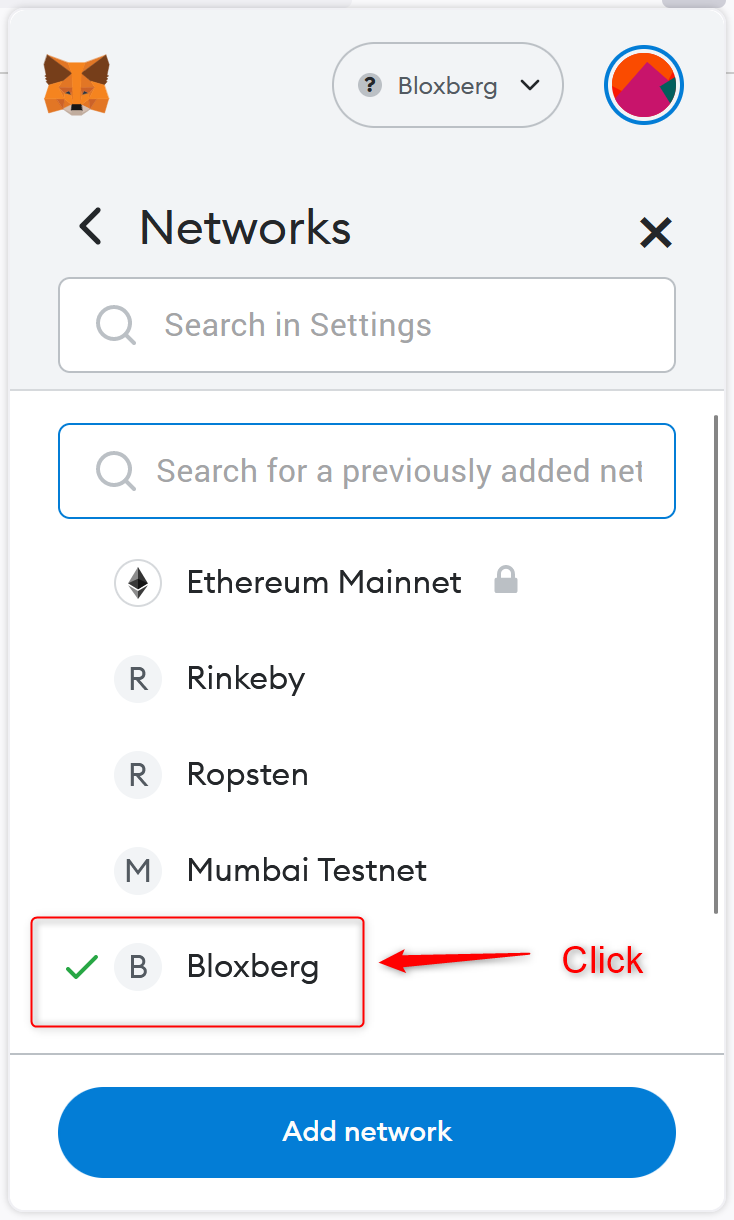
4. Select Bloxberg

<figure><img src="https://1216336826-files.gitbook.io/~/files/v0/b/gitbook-x-prod.appspot.com/o/spaces%2F-MOFd6gpxgL4ITVYH_YB%2Fuploads%2FmYnLSyiwklUklXPW6dgK%2Fimage.png?alt=media&#x26;token=d285eae3-482a-410e-8cf1-472bcd27b255" alt=""><figcaption><p>Bloxberg</p></figcaption></figure>

5. Change RPC URL details as shown below

<figure><img src="https://1216336826-files.gitbook.io/~/files/v0/b/gitbook-x-prod.appspot.com/o/spaces%2F-MOFd6gpxgL4ITVYH_YB%2Fuploads%2FEwCZYjPd7MnFcLoSZo9h%2Fimage.png?alt=media&#x26;token=0aabc8cf-8794-42e6-89db-9b1d7497abb4" alt=""><figcaption><p>New RPC URL</p></figcaption></figure>

That's it! Thank you for continuous support.